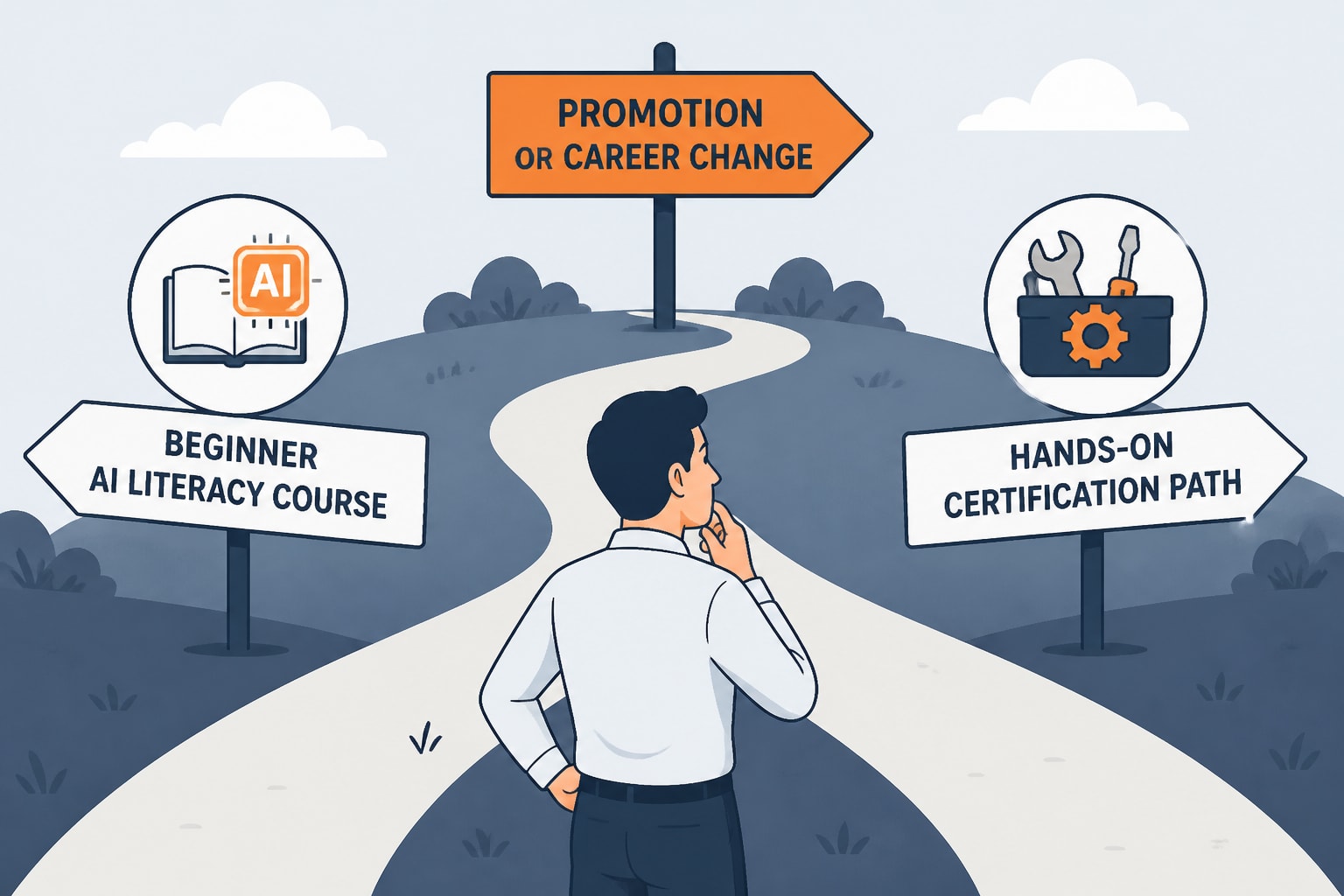
The best AI short courses for working professionals in 2026 are the ones that combine a short time commitment with a credential or portfolio piece an employer can recognize. For a complete beginner, that usually means a six-hour foundation course such as AI for Everyone or Google AI Essentials, followed by a structured certification path once you know which direction you want to take.
Choosing well matters because employers are investing in this area. An OECD 2026 report on AI and skills says more than half of workers who use AI report receiving employer-funded training. If your company is not offering it, a self-selected course is the fastest way to close that gap. The seven options below are ordered from broad introductions to structured certification routes, each with the same details so you can compare them quickly.
1. AI for Everyone (DeepLearning.AI)
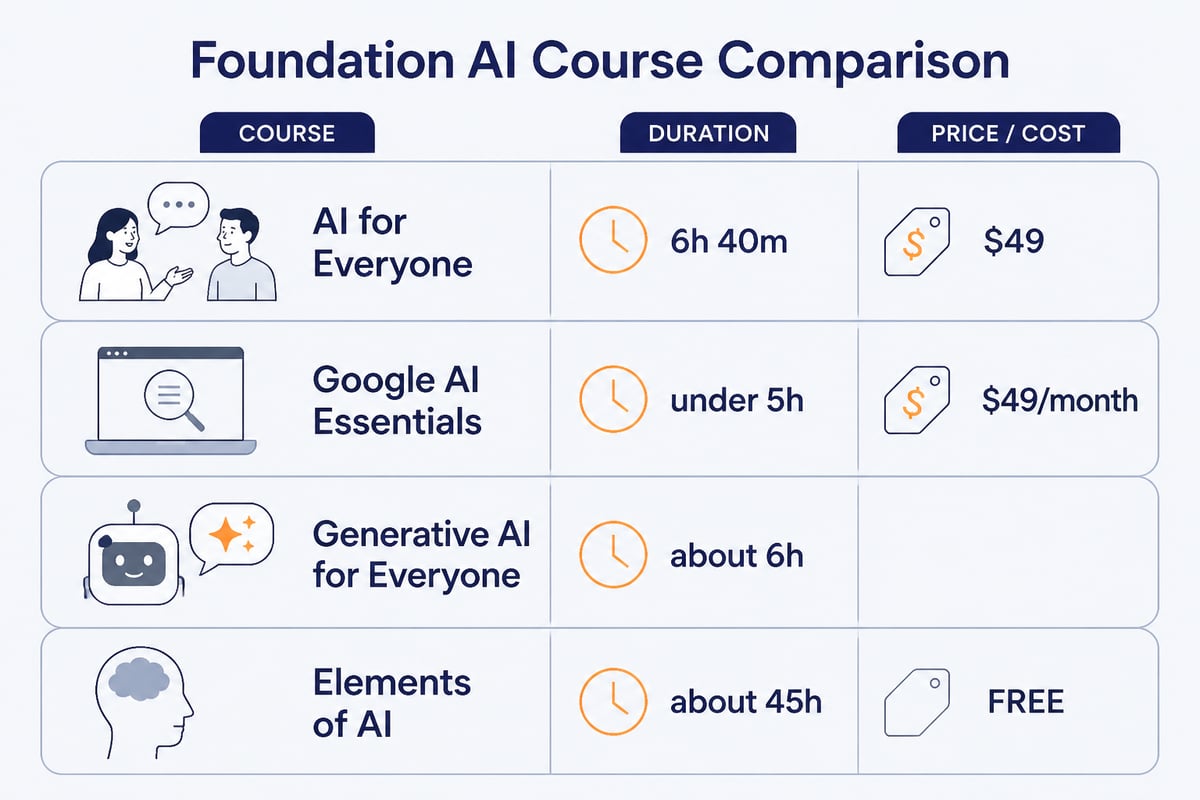
AI for Everyone is a beginner course that explains what AI can and cannot do in business terms, with no coding required. DeepLearning.AI lists it at 35 video lessons and a duration of 6 hours 40 minutes.
- Key specs: Beginner level; 35 video lessons; 6 hours 40 minutes
- Approximate price: $49, which DeepLearning.AI states provides 180 days of certificate eligibility
- Suits: Managers and nontechnical professionals who need a shared vocabulary for AI projects and want a low-cost certificate for a resume
- Verdict: The most efficient first step for anyone who must discuss AI strategy without building models.
2. Google AI Essentials
Google AI Essentials is a five-course beginner program focused on using AI tools productively at work. It covers practical AI tools, prompting, productivity and responsible AI.
- Key specs: Beginner level; five courses; estimated completion under 5 hours
- Approximate price: $49 per month after a 7-day free trial in the US and Canada
- Suits: Professionals who want hands-on prompting skills they can apply to daily tasks within a single week of study
- Verdict: The best fit when the goal is immediate workplace productivity rather than conceptual understanding.
3. Generative AI for Everyone (DeepLearning.AI)
Generative AI for Everyone is a beginner-friendly overview of what generative AI can and cannot do. It spans about 6 hours across 3 modules.
- Key specs: Beginner level; about 6 hours; 3 modules
- Suits: Learners who already know the basics of AI and want to understand generative tools well enough to judge realistic use cases for their team
- Verdict: A sensible second course after AI for Everyone, or a first one if generative tools are your only concern.
4. Elements of AI (University of Helsinki and MinnaLearn)
Elements of AI is a free beginner course that offers a broad, concept-first introduction to artificial intelligence. It is the longest of the foundation options here, at about 45 hours, typically six weeks at 5 to 10 hours per week.
- Key specs: Beginner level; about 45 hours; free certificate
- Approximate price: Free as of November 2026
- Suits: Non-coders who want depth on how AI works and can spread study across several weeks
- Verdict: The strongest zero-cost foundation, though its pace suits patient learners more than those facing a deadline.
5. Introduction to AI (IBM)
Introduction to AI from IBM is a hands-on course built around no-code labs. It takes about 13.5 hours, which places it between the quick overviews and the longer foundation courses.
- Key specs: Hands-on, no-code labs; about 13.5 hours
- Suits: Learners who retain more by doing than by watching and want to see AI behave in practical exercises without writing code
- Verdict: A good pick when you want practice and a recognizable provider name, with a moderate time commitment.
6. Mammoth Club Unlimited Membership
The Mammoth Club Unlimited Membership is an annual all-access plan to 3,000+ courses, certification paths, practice exams, tools and digital assets, with pricing from $199 per year. It suits professionals who have finished a foundation course and now need a recognized credential, not another overview.
- Key specs: Text-first, AI-searchable lessons built to be applied the same day; structured certification paths with built-in assessments, project portfolios and proctored final exams; courses, labs and assessments updated every month as tools change
- Suits: Career switchers and professionals targeting certifications, who benefit from one membership covering courses, practice labs, templates and digital assets
- Verdict: The right step once you know your direction, because the proctored exams and project portfolios give you something concrete to show an employer. It is a paid, structured program, so it does not fit learners seeking only free content or a single short video.
Each course begins with a working practitioner and then passes editorial and technical review. MammothClub reports over 12,400 people certified in the last 30 days and over 500,000 practice exam questions. To browse by topic, start with the AI course catalog.
7. Team Plan (MammothClub)
The Team Plan is MammothClub's membership for teams, with shared access, progress tracking and certification management at $159 per user per year. It applies when several colleagues need to complete certification together and a manager needs visibility into results.
- Key specs: Shared access across a team; progress tracking; certification management
- Suits: Managers and L&D leads who need measurable completion data for a group working toward the same credentials
- Verdict: Worth considering when training is a departmental goal rather than an individual one. Individual learners are better served by the personal membership.
AI short courses compared
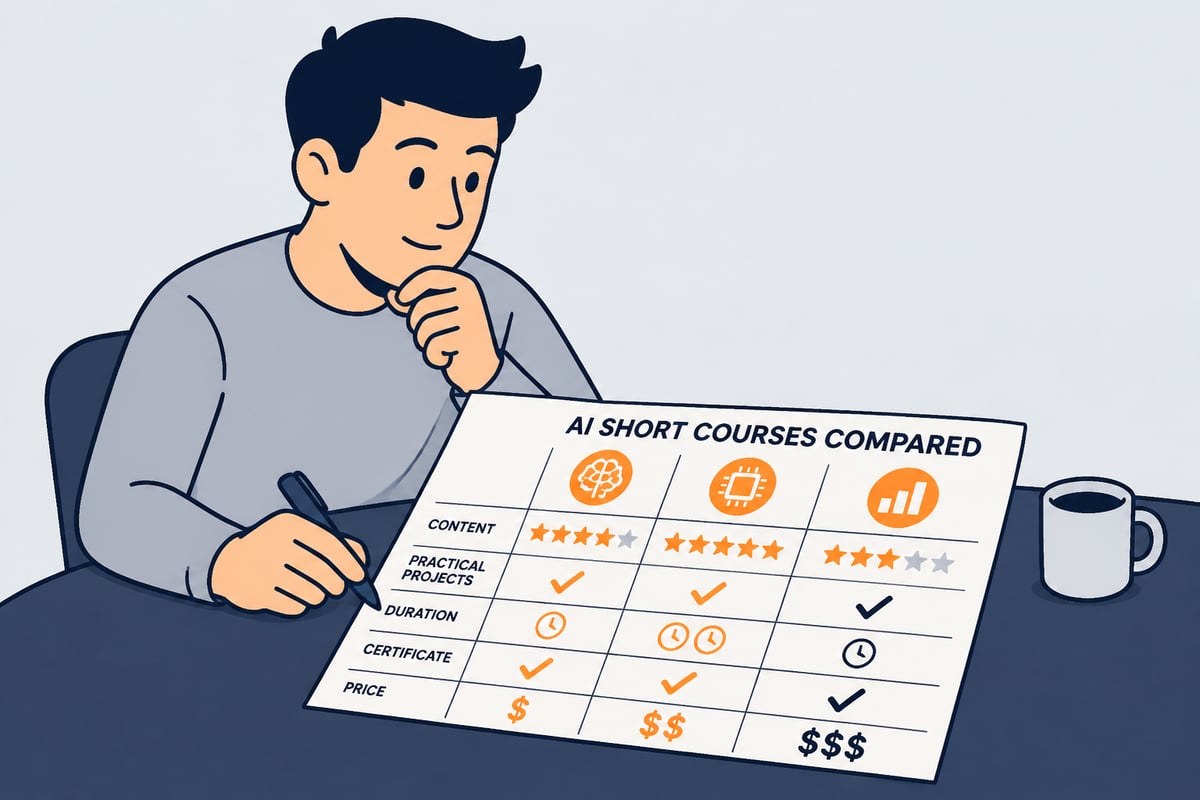
The table below places all seven options side by side on the attributes that decide most purchases. Reading it well means looking at three columns together: time, price and credential. A course that looks cheap on price can be expensive in hours, and a free course can cost more in calendar time than a paid one.
| Course | Level | Time | Approximate price (Nov 2026) | Credential | Best for |
|---|---|---|---|---|---|
| AI for Everyone | Beginner | 6h 40m | $49 | Certificate | Business context |
| Google AI Essentials | Beginner | Under 5h | $49/month after trial | Certificate | Workplace tool skills |
| Generative AI for Everyone | Beginner | About 6h | Not listed | Not listed | Generative AI basics |
| Elements of AI | Beginner | About 45h | Free | Free certificate | Concept depth |
| Introduction to AI (IBM) | Beginner | About 13.5h | Not listed | Not listed | No-code practice |
| Mammoth Club Unlimited Membership | Beginner to advanced | Self-paced | From $199/year | Proctored certification paths | Hiring and promotion |
| Team Plan | Beginner to advanced | Self-paced | $159/user/year | Managed certifications | Group upskilling |
Time and pricing in practice
The foundation courses fall into three time bands. Google AI Essentials, at under 5 hours, is the quickest and can be finished in a single week of lunch breaks. AI for Everyone (6 hours 40 minutes across 35 video lessons) and Generative AI for Everyone (about 6 hours across 3 modules) sit in the middle. Introduction to AI from IBM, at about 13.5 hours, takes a few evenings of lab work. Elements of AI is the outlier at about 45 hours, which the provider frames as roughly six weeks at 5 to 10 hours per week.
Pricing models differ in ways that change the real cost. AI for Everyone is a one-time $49, and that fee provides 180 days of certificate eligibility, so the clock matters: finishing within that window protects the purchase. Google AI Essentials charges $49 per month after a 7-day free trial in the US and Canada. Because its estimated completion time is under 5 hours, a learner who finishes inside the trial pays nothing, while one who drifts into a second or third month pays $49 each time. Elements of AI is free, including its certificate, so its only cost is time. The prices for Generative AI for Everyone and Introduction to AI were not shown in the research behind this comparison, so check the provider page before budgeting.
Credentials and what they signal
Four of the seven options list a certificate or a clearly stated credential: AI for Everyone, Google AI Essentials, Elements of AI and the two MammothClub plans. For the first three, the credential is a completion signal. It shows initiative and baseline literacy, which helps on a resume or LinkedIn profile, but it does not demonstrate that you can perform a task. The MammothClub paths differ in kind: they include proctored final exams and project portfolios, so the result is an assessed outcome rather than a record of attendance.
A useful way to match the table to your situation is to ask what you need to be able to say afterward. "I understand how AI projects are scoped" points to AI for Everyone. "I use AI tools to finish routine work faster" points to Google AI Essentials, whose coverage of prompting, productivity and responsible AI maps directly to daily tasks. "I can explain how AI works, not just use it" points to Elements of AI. "I have practiced AI workflows hands-on" points to IBM's no-code labs. "I hold a certification employers can verify" points to a structured path.
Combining courses without duplicating effort
The foundation courses overlap in their opening material, so stacking them has diminishing returns. Taking AI for Everyone and then Generative AI for Everyone is a coherent pairing because the second narrows from general AI to generative tools. Taking Google AI Essentials alongside AI for Everyone works when you want both the conceptual frame and the applied skills, a combined commitment of roughly 12 hours. Adding Elements of AI on top of all of these rarely makes sense unless depth is the goal, since much of its early content covers ground you will already know.
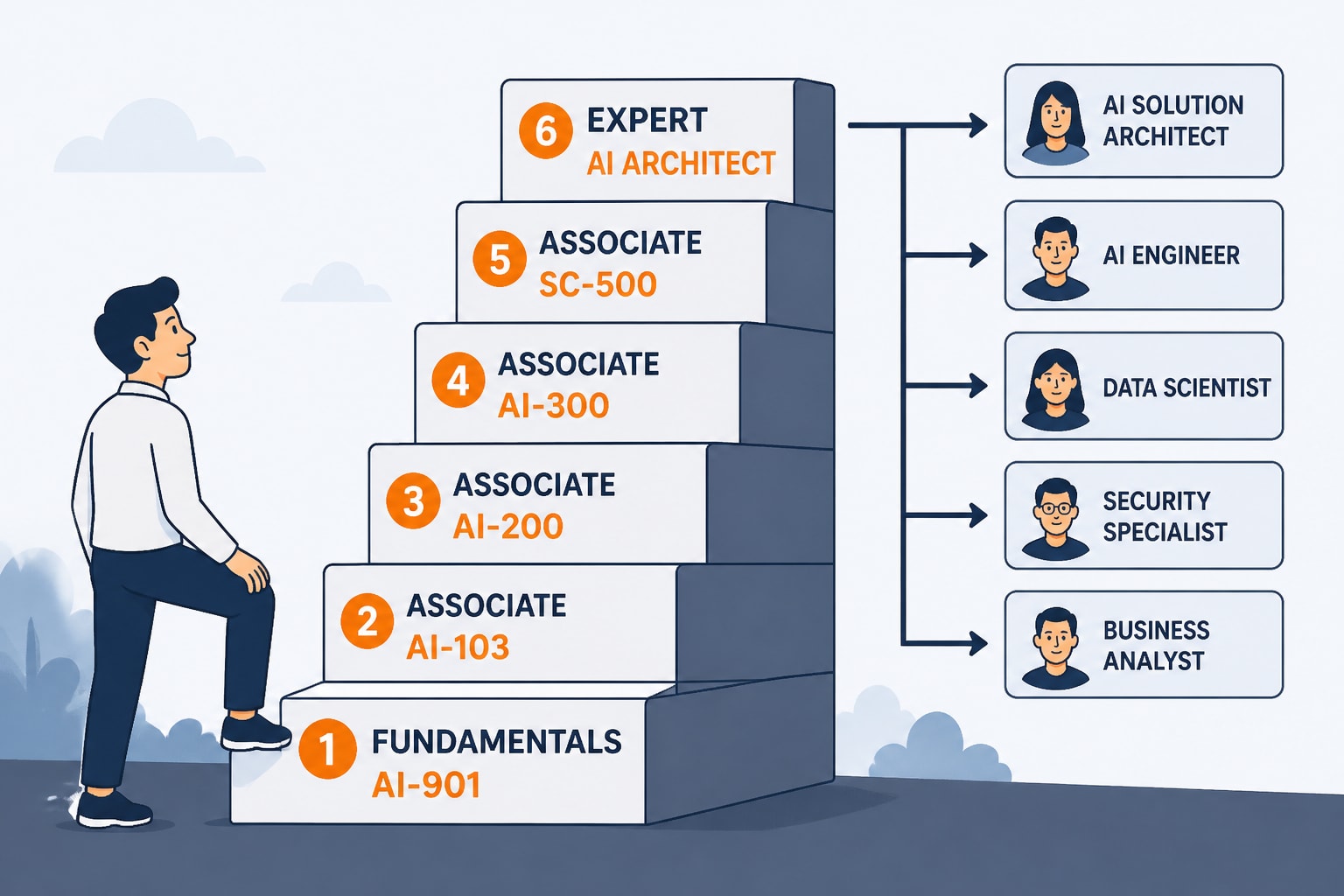
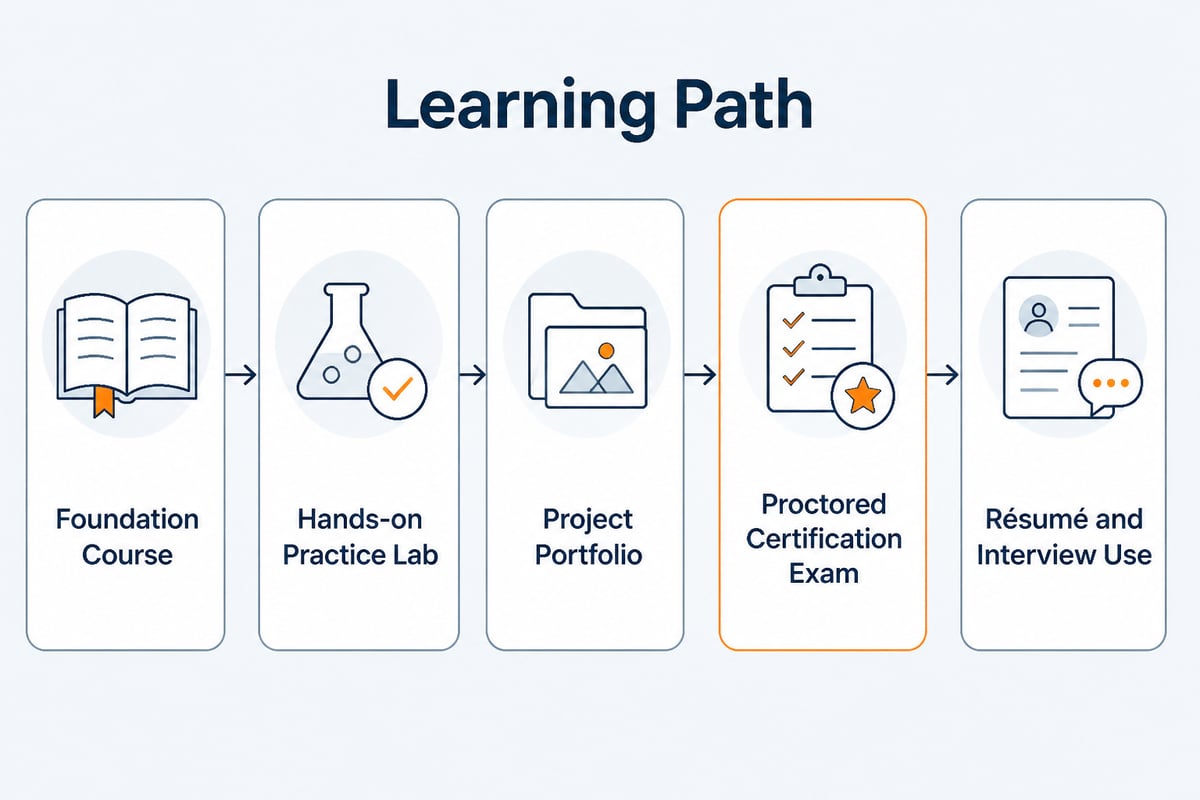
A reasonable rule is one foundation course, one practice-oriented course, then a credential. That sequence keeps total foundation time under about 20 hours and moves you toward something assessed rather than toward a longer list of completed certificates. The team plan sits outside this individual sequence: it applies when the same pathway needs to be followed by several colleagues and a manager needs completion data.
How to choose among AI short courses
Choose by the outcome you need, not by the course title. A short decision sequence works for most professionals:
- Need vocabulary for meetings? Take AI for Everyone.
- Need daily productivity gains? Take Google AI Essentials.
- Need to judge generative AI proposals? Add Generative AI for Everyone.
- Want the most depth at no cost? Commit to Elements of AI.
- Want to practice without code? Choose IBM's Introduction to AI.
- Want a credential to support a job change or promotion? Move to a structured certification path.
What a short course will and will not do
A six-hour course builds literacy. It does not, on its own, change a hiring decision, because certificates from introductory courses are widely available. Recruiters look for evidence you can apply a skill, such as a portfolio project or a proctored exam result. Pair any short course with one applied deliverable, for example a documented workflow that automates a task from your current job.
A practical sequence for career switchers
Hypothetical example: a professional who wants to move into an AI-adjacent role could complete a foundation course first, then a machine learning fundamentals course, and then work toward a recognized certification. This illustrates sequencing only. For a wider survey of options, the guide to the best AI certification courses compares credentials by employer recognition.
Common questions about AI short courses
How long should an AI short course be?
Between 5 and 15 hours covers most foundation needs. Under 5 hours teaches tool basics; around 45 hours, as with Elements of AI, builds conceptual depth.
Are free AI short courses enough to get hired?
Free courses build knowledge, but employers weigh demonstrated skill. A free certificate works as a first signal, and an assessed credential or portfolio project strengthens it. If you are comparing credentials, the overview of AI courses and machine learning options is a useful reference.
Do I need to code to start?
No. AI for Everyone, Google AI Essentials, Elements of AI and IBM's no-code labs are all designed for learners without programming experience.
Which course should I take first?
If your priority is business context, start with AI for Everyone. If your priority is using AI tools at work this month, start with Google AI Essentials.
How do I keep skills current when tools change quickly?
Prefer providers that update content regularly. MammothClub, for example, updates courses, labs and assessments every month as tools change.
Your next step is to pick one foundation course from this list and book the hours on your calendar this week, then decide whether a certification is the right follow-up. When you are ready for assessed credentials, the Mammoth Club Unlimited Membership pairs courses, practice labs and proctored certification paths in one annual plan, and teams can use the Team Plan to track progress together. MammothClub helps professionals build recognized credentials on a platform trusted by over 1,400 organizations and libraries, so start unlimited and put your first certification on a clear timeline.